Ultimate Guide to Enshrouded Mods & Customization Tools
Discover the best enshrouded mods and tools to customize gameplay, improve performance, and enhance your survival experience today.
Published: Enshrouded Wiki Editorial Team
Table of Contents
Enhancing Your Survival Experience with Enshrouded Mods
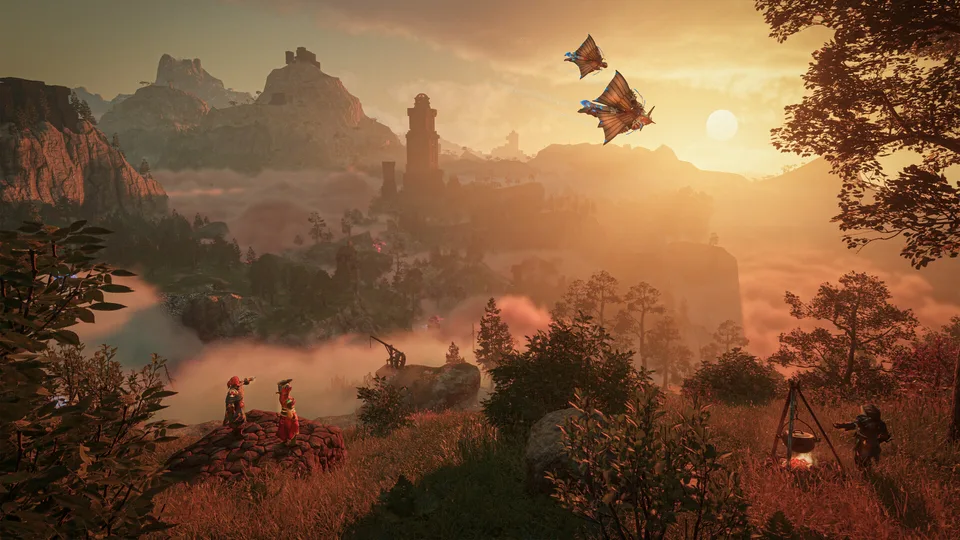
Diving into the fog-shrouded valleys of Embervale offers an incredible survival adventure, but utilizing enshrouded mods can take your gameplay to the next level. Whether you want to streamline your user interface, tweak visual filters, or adjust character attributes, the modding community provides diverse solutions to tailor the experience to your preferences. Understanding how these modifications interact with your game files ensures a smooth, stable session every time you log in.
Modding survival crafting games has become a staple for players looking to optimize their workflow and eliminate minor mechanical friction. With reliable tools now accessible through platforms like the Enshrouded Steam Hub, players can safely integrate community-created enhancements without breaking core mechanics. Let us examine the essential tools, loaders, and quality-of-life adjustments currently available to the player base.
Essential Mod Loaders and Frameworks
Before diving into individual gameplay tweaks, setting up a stable foundation is crucial. The modding ecosystem relies on specific loaders to manage dynamic link libraries (DLLs) and prevent conflicts between multiple injected files. According to community reports, utilizing a centralized framework significantly reduces game crashes and startup errors.
Players frequently rely on specific proxy tools to handle multiple files targeting the same game directories. The table below outlines the primary utility frameworks and loaders available for the game:
Utility Name
Primary Function
File Size & Notes
ShroudForge
Core mod loader for discovering and installing community add-ons.
~31.7 MB; essential for managing custom packages.
ModLoader Proxy
Runs multiple DLL files smoothly, bypassing conflicts with dinput8.dll.
~104.0 KB; prevents file-hooking collisions.
Multi Dinput8 Installer
Combines multiple modifications relying on the same input library.
Always back up your original game files and save directories before installing any proxy loaders or core framework files to prevent data corruption during game updates.
Quality-of-Life and Interface Adjustments
Once your framework is stable, you can focus on improving day-to-day navigation and visual presentation. Many players find default interface elements or camera bounds restrictive during extended building and exploration sessions. Fortunately, community developers have created lightweight patches targeting these specific pain points.
Player experience feedback highlights several standout interface modifications that improve overall immersion. For instance, map-expansion utilities allow players to zoom out significantly further than vanilla settings permit, verified specifically on Steam version 25988036. Additionally, real-time HUD editors let you reposition, scale, or toggle specific interface elements on the fly, tailoring your screen layout for optimal visibility during intense combat encounters.
ShroudHud Editor
Allows real-time scaling and repositioning of various HUD elements, giving you complete control over your visual workspace.
Map Zoom Out Patch
Increases maximum camera elevation on the world map for better route planning across Embervale. Verified compatible with recent Steam builds.
Sprint Toggle Add-on
Replaces the default hold-to-sprint mechanic with a clean toggle state, reducing finger fatigue during long-distance travels.
Character Customization and Save Management
Beyond interface tweaks, community creators have expanded aesthetic boundaries and save-file utilities. Creating a unique avatar is a core part of any RPG, and recent data patches unlock hidden vanilla color palettes alongside entirely new skin tones, eye colors, and hair options. These lightweight modifications integrate seamlessly into character creation screens and barber stations alike.
Managing your progress safely is equally important when experimenting with user files. Specialized save editors and character unlockers allow you to modify specific parameters within your .ksd save files without touching world data. According to community reports, these tools operate within strict game parameters, ensuring that modified characters load naturally as if played through standard progression.
Verify Your Game Version: Check your current build number against mod requirements (such as Steam build 25988036).
Install a Framework: Set up ShroudForge or a compatible proxy loader in your primary game directory.
Add Tweaks Gradually: Drop individual mods—like sprint toggles or color expansions—into the designated folders one by one.
Test Stability: Launch the game to confirm that the modifications initialize correctly without throwing error codes.
Server Management and Multiplayer Enhancements
For those hosting dedicated servers, maintaining a secure and friendly environment is a top priority. Server administrators can deploy specialized tools that do not require clients to install custom modifications. A prominent example is the SteamID64 server whitelist utility, which allows hosts to precisely control who joins their Windows dedicated servers while automatically cleaning up rejected join attempts to prevent artificial inflation of player counts.
Furthermore, experimental projects like host-only peer-to-peer combat modes are currently in development, aiming to let friends engage in structured PvP encounters without requiring any client-side installation. Utilizing these administrative tools helps community leaders maintain orderly sessions while exploring custom rulesets.
Warning
Always verify that your dedicated server plugins match the exact server build number (such as dedicated build 25967645) to avoid connection rejections and synchronization errors among players.
Do I need to install enshrouded mods on my client for dedicated servers?
It depends entirely on the specific add-on. Many quality-of-life adjustments and HUD editors require local installation, whereas server-side security tools like whitelist managers operate entirely on the host machine without requiring client participation.
Will installing enshrouded mods corrupt my character saves?
Most verified community modifications are designed to operate safely within standard game parameters. However, always create manual backups of your character and world save files before installing new DLL loaders or save editors.
How do I handle conflicts when multiple files use dinput8.dll?
You can resolve these conflicts by utilizing a dedicated modloader proxy or a multi-dinput8 installer tool, which safely channels multiple script hooks through a single entry point.